
Fraud 101Oct 26, 2026
What is SaaS abuse? How attackers misuse cloud services
SaaS abuse turns legitimate notifications, shared files, and app permissions into attack paths. Learn how it works, what to look for, and how to prevent it.
SucuriLabs protects Microsoft 365 environments from BEC, vendor impersonation, invoice fraud, and payment-change attacks by analyzing email behavior, supplier trust signals, and financial-risk context before finance acts.
Get a demo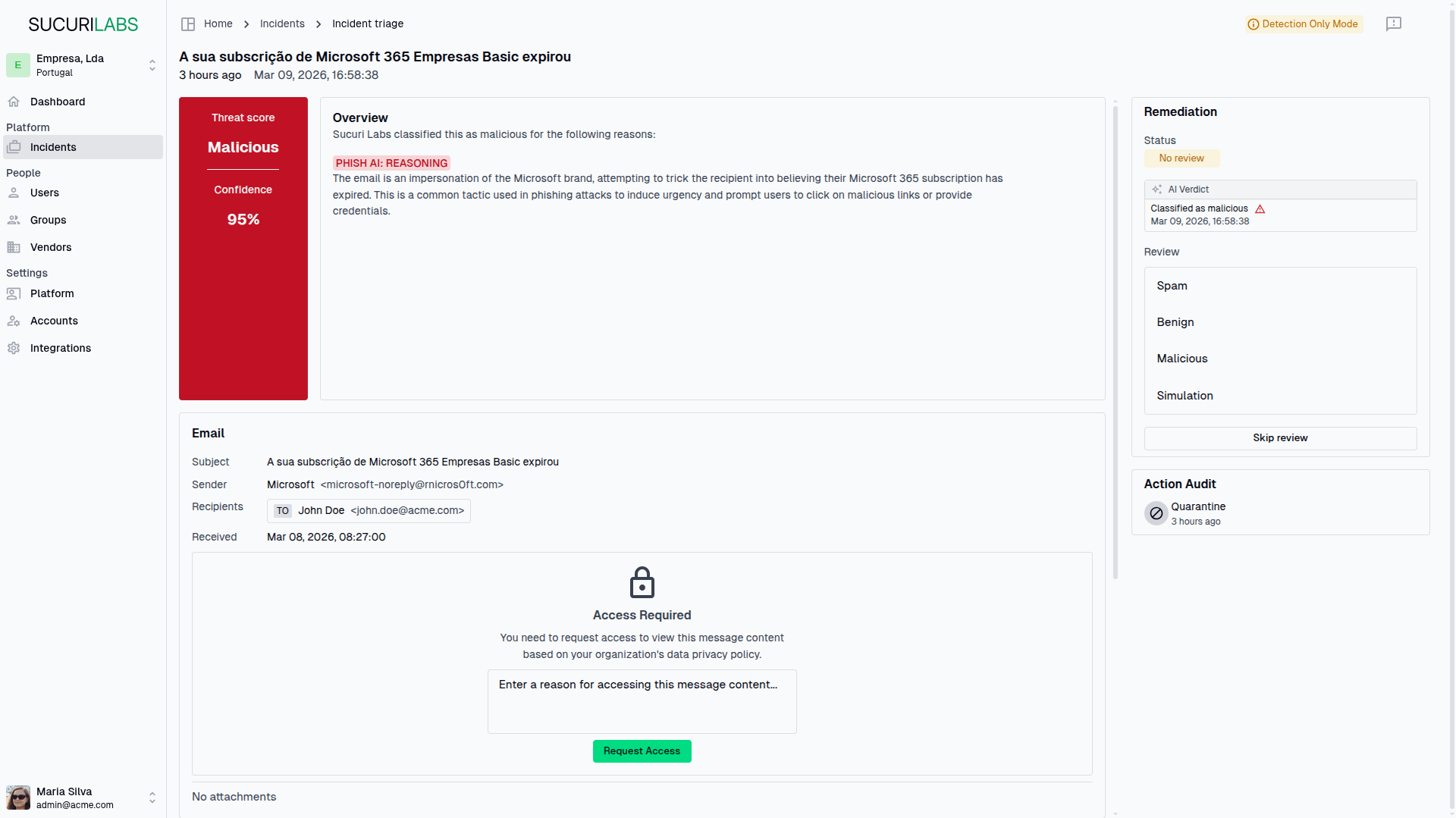
Backed By


Attackers no longer need obvious phishing tricks to create financial damage. A supplier email, invoice update, or new bank detail request can look legitimate while still exposing the business to fraud.
Finance teams receive invoice updates, IBAN changes, and payment requests from vendors every week. When a supplier account is compromised or impersonated, the email can look normal enough to pass manual review.
Teams rely on memory, ad hoc calls, shared inboxes, and second-channel checks. Under workload pressure, controls are skipped, delayed, or applied inconsistently.
Traditional email security is strong at spam, malware, and obvious phishing. But financial fraud often depends on supplier identity, payment details, communication history, and trust context.
SucuriLabs analyzes supplier emails, extracts payment and invoice details, checks them against vendor trust intelligence, evaluates behavioral and contextual anomalies, and gives IT and finance clear evidence to quarantine, release, or escalate the message.
Identify emails tied to invoices, supplier requests, payment details, and sensitive approvals.
Check supplier identity, sender behavior, payment details, and communication context.
Assign a clear risk level with evidence that explains why the email needs attention.
Quarantine, release, or escalate the email without guesswork across finance and IT.
Enter a supplier's domain to see whether SucuriLabs has detected compromised accounts linked to it, how many were found, and when the latest compromise appeared.
We only show aggregate exposure signals. We do not reveal passwords or individual mailbox data.
What this checks
SucuriLabs searches for compromised-account exposure signals linked to the supplier domain you enter.
Checks whether the supplier identity, sender, payment details, and communication context match expected patterns.
Review supplier changes with context instead of guesswork.
Focuses on the email scenarios most likely to create financial loss: invoices, IBAN changes, payment requests, supplier impersonation, and compromised vendor behavior.
Prioritize the emails most likely to move money in the wrong direction.
Gives IT and finance the evidence behind each decision, not just another alert.
Help teams act faster without weakening financial controls.
Connects through native Microsoft 365 APIs without MX record changes.
Deploy quickly without disrupting mail flow.
Detect suspicious changes to supplier bank details before finance updates payment information or processes a transfer.
Reduce the chance of sending funds to an attacker-controlled account.
Identify risky emails sent from legitimate vendor domains when the supplier account itself may be compromised.
Catch fraud even when the sender domain looks real.
Flag invoices and payment instructions that do not match expected supplier, sender, or payment context.
Stop false invoices before they enter the payment workflow.
Detect executive spoofing, account compromise, and payment pressure patterns before employees act.
Prevent urgent payment requests from bypassing review.
Catch supplier lookalikes and impersonation attempts that bypass traditional phishing signals.
Protect procurement and accounts payable from convincing lookalike attacks.
Be the first to hear about product news, releases, industry news, exclusive perks, gifts, and security insights from SucuriLabs. No spam. No fluff. Unsubscribe anytime.
SucuriLabs is built for real supplier and payment workflows: shared finance inboxes, Microsoft 365 environments, invoice handling, payment-detail changes, and vendor communication that cannot be judged by generic phishing signals alone.
Email type
Supplier payment-detail change
Risk factors detected
Recommended action
Quarantine
Answers to common questions about deployment, workflow, category, and fit.
Book a short fraud prevention review and we'll walk through how your team currently handles supplier emails, payment-detail changes, invoice fraud risk, and Microsoft 365 email security gaps.
SaaS abuse turns legitimate notifications, shared files, and app permissions into attack paths. Learn how it works, what to look for, and how to prevent it.
A practical Microsoft Entra investigation workflow for suspicious MFA activity, from the first sign-in alert to correlation, persistence checks, containment, and post-compromise validation.

AI has not reinvented Business Email Compromise. It has made it faster for attackers to research people, personalize messages, manage conversations, and impersonate trusted identities.